Quick Summary:
External document sharing in NetSuite should let vendors, clients, auditors, and contractors upload, view, or approve selected files without giving them broad ERP access. File Cabinet works for internal storage and record attachments, but outside document tasks often need a controlled portal workflow. The right setup keeps submitted files tied to vendor, customer, transaction, case, project, or custom records while reducing email follow-ups, manual uploads, version confusion, and audit-review gaps.
Quick Takes:
Sharing a vendor bill or a client contract should not require a new user license or a dozen emails. NetSuite centralizes data to create operational value. Even so, many teams still step outside the system to share their most critical files. That disconnect often creates document silos, where files sit in personal inboxes or generic cloud folders. When critical evidence is separated from the record it supports, audit trails break down and fulfillment slows down.
That's why building a bridge between internal records and external stakeholders is essential for data integrity. This article looks at how to give vendors and clients access to upload or approve documents while keeping files tied to their records. It also explores the solutions available today that help businesses with external document sharing.
The external file sharing problem in NetSuite comes down to one challenge: letting outside stakeholders securely upload, review, and approve documents without broad ERP access, while keeping the record context and audit trail intact.
NetSuite brings customer, vendor, transaction, and finance records together, but it's role-based by design. That setup can create friction for simple outside tasks.
For example: Think of collecting a vendor's certificate of insurance or getting a client's sign-off on a deliverable. Without a controlled document workflow, those files often end up scattered across email threads and personal inboxes.
Manual file handling increases the risk of upload errors, missing evidence, and version confusion. External document sharing in NetSuite should let outside stakeholders interact with selected files without broad ERP access through simple approval workflows.
Teams need a controlled way to collect, review, and store documents, while keeping the link to the NetSuite record that uses each file, so everything stays audit-ready.
Start by identifying who needs to interact with your documents. That helps you pick the most effective way to share them. Stakeholders need different levels of interaction, so your workflow has to support everything from simple uploads to formal digital approvals.
Effective NetSuite external document sharing keeps these files attached to the relevant entity or transaction. This central approach keeps documents from getting stranded in disconnected systems.
Organizations typically choose one of four paths for managing external file interactions, with each carrying specific trade-offs regarding cost, paperless efficiency, and security.
Email attachments: This is a common but unstructured method, where outside users email files to staff for manual upload. It works for low-volume tasks, but it often fails during audits or periods of fast growth.
File Cabinet attachment: Internal users attach files to records for internal visibility. This keeps files inside NetSuite, but it does not give external parties a direct upload path.
Cloud content platforms: Platforms such as Box or SharePoint can store and organize files outside NetSuite. Integrations may connect folders or files to NetSuite records, depending on setup.
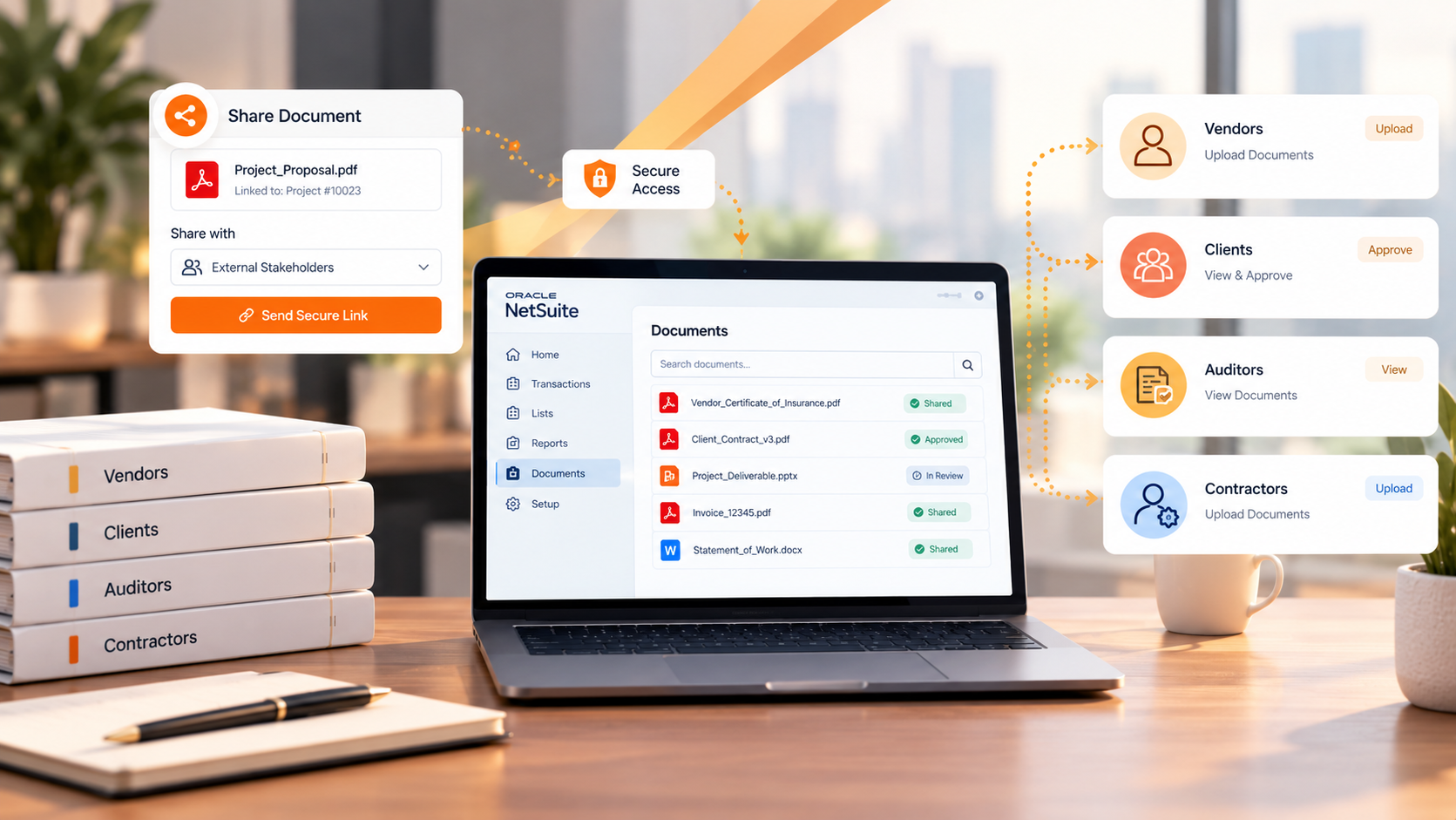
Portal-based tools: Portal-based tools like SkyDoc SuiteApp let external stakeholders upload, view, or approve selected documents through a controlled interface. This supports external document sharing without full NetSuite access, while keeping files linked to the records that use them.
NetSuite external document sharing gets much easier when outside users can complete file tasks without broad ERP access. That's what the SkyDoc portal is built for. It provides a dedicated interface where outside users can complete document tasks on their own.
Asking a vendor for a compliance certificate is traditionally a manual follow-up task. With SkyDoc External Email Upload, users can send a request straight from a NetSuite record. The vendor gets a secure link to upload the file, and the file attaches automatically to their vendor record.
Clients often need to review project milestones or sign off on change orders. The portal lets these users view documents and give formal sign-off. Because these document approval workflows run through a NetSuite-connected workflow, the approval timestamp stays linked to the transaction for audit purposes.
Internal teams often waste time downloading vendor submissions just to check that a document is correct. File previews let users see the document content right inside the browser. And if a contractor submits a revised contract, versioning helps cut confusion by tracking the current draft.
As document volume grows from vendors and clients, native storage can get expensive. NetSuite File Cabinet storage is a useful starting point, but SkyDoc uses Amazon S3-backed storage to handle high volumes. This setup helps manage costs while keeping every externally submitted file connected to your NetSuite workflows.
Some businesses need to pull documents from other portals or custom vendor systems. To support these needs, the SkyDoc API allows external applications to push documents into specific NetSuite records. This eliminates the need for manual intervention by your internal staff.
Choosing the right tool starts with how your outside stakeholders need to interact with your data. The table below compares the most common NetSuite external document sharing paths side by side, based on their core features.
For businesses that need to map files to NetSuite records for audit purposes, a portal-based approach like SkyDoc often provides the best balance of security and ease.
Before you pick a document sharing path, check your current process against these criteria. Spotting these needs early saves you from system migration headaches later.
External document sharing in NetSuite should give outside stakeholders controlled access to upload, view, or approve selected files, without broad ERP permissions.
External document sharing should not force every vendor or reviewer into a full ERP role. Moving document tasks out of email and into a controlled portal cuts down manual work for your finance and customer teams.
Want help evaluating your current file-sharing bottlenecks? We at Tvarana can help demonstrate how to give outside users the access they need while keeping your records audit-ready. Contact us today to review your external document sharing workflow and see how SkyDoc can support your business.



Tvarana is an award-winning
Oracle NetSuite Consulting Firm
and an SDN partner.
info@tvarana.com