Summary:
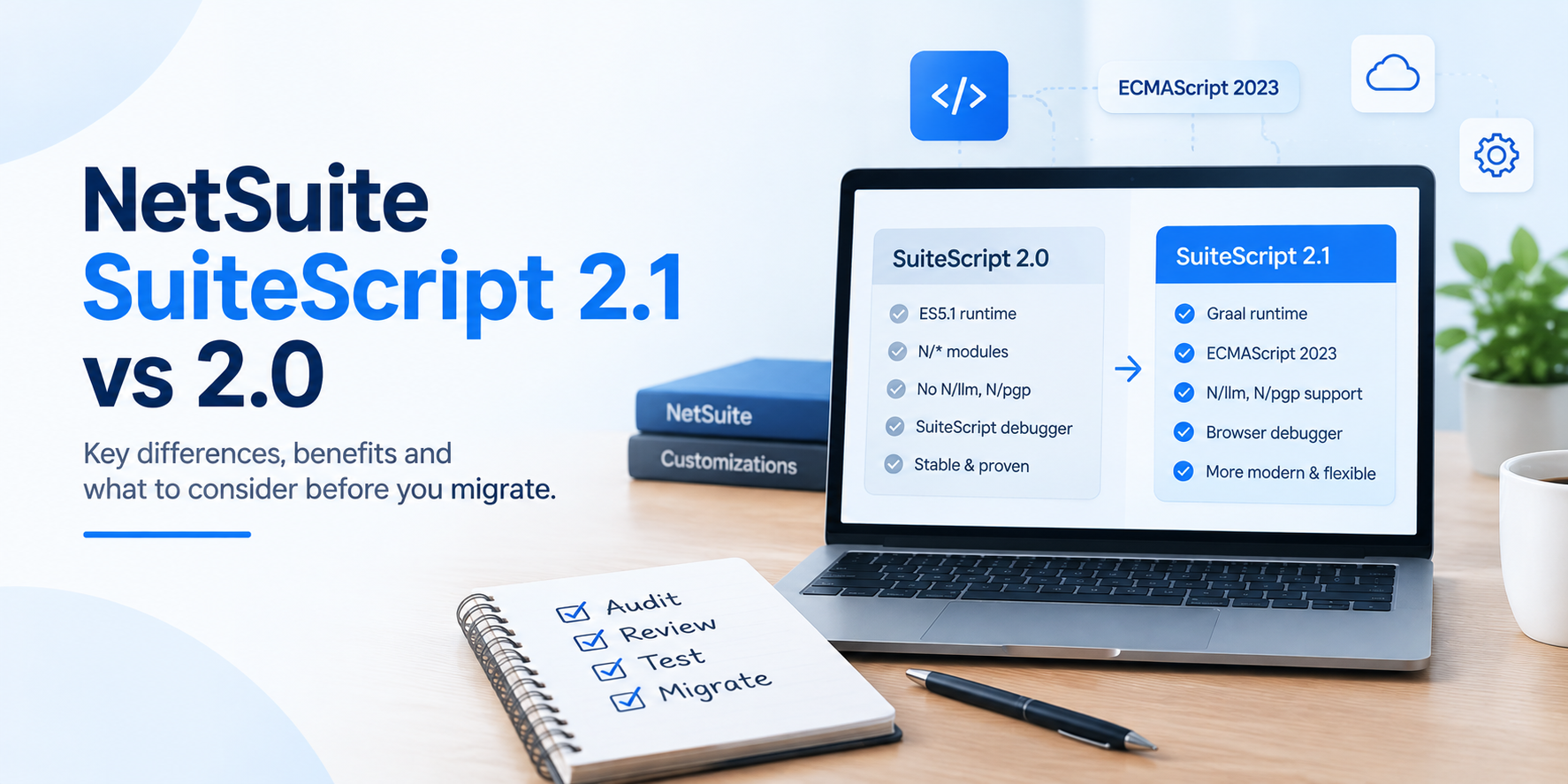
The difference between SuiteScript 2.1 vs 2.0 is more than just a version-number change. For server-side scripts, 2.1 introduces the Graal runtime, support for ECMAScript 2023 capabilities, and access to 2.1-only modules. At the same time, 2.1 can change runtime behavior in areas such as JSON parsing, strict mode, promises, RESTlet responses, and error handling. So before you migrate a script, review what it does, how it interacts with integrations and account preferences, and how well that workflow is covered by testing.
Key Takeaways:
If you have been working in NetSuite for a while, SuiteScript 2.0 probably does not feel especially outdated. Plenty of 2.0 scripts are still running important processes without any obvious reason to touch them. So when the migration to SuiteScript 2.1 comes up, the right question to ask is “What do we actually gain by moving, and what could change if we do?” That is where the comparison between SuiteScript 2.1 vs 2.0 becomes interesting.
SuiteScript 2.1 gives developers a newer JavaScript foundation, a different server-side runtime, and access to newer modules. But those benefits come with behavior changes that can affect scripts that already work correctly in 2.0. We’re going to look at the differences that matter in practice: what changes technically, where 2.1 improves the development experience, what can break during migration, and how to decide which scripts are actually worth moving.
SuiteScript 2.1 is the latest SuiteScript version for server and client scripts. The easiest way to understand SuiteScript 2.1 is to separate the SuiteScript API from the JavaScript runtime underneath it. The API change is smaller than many teams expect, and most SuiteScript modules and development patterns remain familiar. The bigger change is how the JavaScript runs.
SuiteScript 2.0 is based on an ES5.1-style runtime. SuiteScript 2.1 uses the Graal runtime for server-side scripts and supports ECMAScript 2023 capabilities. That distinction changes what JavaScript features developers can use and, in some cases, how existing code behaves at runtime.
The main takeaway here is that SuiteScript 2.1 is not a full rewrite of the NetSuite API. A better way to think about 2.1 is as a newer execution environment around an API that is still largely familiar. That is good news for development, but it also explains why a script can look almost unchanged and still behave differently after migration.
The SuiteScript runtime controls how JavaScript executes. That means changing runtimes can affect things that are easy to overlook during a simple code review: parsing, error behavior, promises, return values, strict mode, debugging, and other execution details.
SuiteScript 2.1 uses the new Graal runtime engine for server scripts, while SuiteScript 2.0 uses an ES5.1-based runtime. From a developer's perspective, the benefit is straightforward:
From a migration perspective, though, the effect is different. A script does not have to contain obviously “modern” JavaScript for the runtime change to matter. For example, an older RESTlet can be affected by return-type behavior.
That is why changing @NApiVersion should not be treated as a harmless metadata update. Make the change in sandbox, then test the workflow that depends on the script.
Modern syntax is one of the most visible parts of SuiteScript 2.1, but the real value is that developers can often express intent more clearly and with less repetitive code. SuiteScript 2.1 supports JavaScript capabilities such as constants, block-scoped variables, destructuring, spread and rest operators, classes, and supported asynchronous server-side promises.
These features can improve day-to-day NetSuite custom development:
This is why, when evaluating SuiteScript 2.1 vs 2.0, individually none of these features is a reason to migrate an entire account. But together they make 2.1 a stronger foundation for scripts that are under active development and likely to keep changing.
This is where migrations can get tricky, because SuiteScript 2.1 changes execution behavior in several areas. Oracle warns of behavior differences in areas involving reserved words, error object properties, invalid JSON parsing, strict mode, const reassignment, date formatting, RESTlet POST strings, RESTlet return types, parseInt, and promises in server scripts.
These differences matter most when scripts sit in the middle of a real business process. Imagine a RESTlet returning data to an ecommerce platform. A small difference in how a payload is handled can become an integration issue.
So, before you switch a script to SuiteScript 2.1, make sure to test:
The important point is to test the business process, not only the JavaScript file. A script can pass syntax checks and fail when real users, records, roles, and integrations enter the test path.
For some teams, the strongest reason to use 2.1 is not the runtime at all. It is access to modules that are unavailable in 2.0. Two notable examples of this are N/llm and N/pgp.
The N/crypto/random module is also SuiteScript 2.1-only when used in server-side scripts. For server-side scripts, N/crypto/random supports random-generation needs and requires SuiteScript 2.1.
These modules are good examples of why the migration decision should be handled script by script. A stable 2.0 script may have no reason to move, while a new customization that depends on one of these modules has a much clearer case for 2.1.
You do not need to migrate every script at once, and a better approach is to start by evaluating the business process and then looking at the code. Before changing versions, ask what the script actually does, who depends on it, which systems interact with it, and how easily the workflow can be tested.
Scripts are stronger candidates for SuiteScript 2.1 when they:
These are the places where the costs of migration are easier to justify. At the same time, some scripts deserve extra review before you touch the version.
Use more caution when a script:
Account-level preferences also matter. NetSuite provides preferences that can run SuiteScript 2.x or SuiteScript 2.0 server scripts as SuiteScript 2.1, regardless of the @NApiVersion tag in the script file. By default, @NApiVersion 2.x resolves to SuiteScript 2.0 when uploaded and executed. That makes inventory important. Review the version tag, account preferences, deployment status, script type, supported process, and test coverage before moving scripts.
When it comes to SuiteScript 2.1 vs 2.0, the hardest part of a SuiteScript migration is rarely just changing the version number. It is about understanding what crucial business workflows the script touches.
A customization may affect processes like billing, tax, inventory, approvals, customer portals, vendor automation, reporting, or an external integration. Runtime changes in one file can therefore have consequences well beyond that file.
Tvarana's NetSuite implementation team can help review existing script versions, runtime risks, RESTlet behavior, SuiteTax and Scriptable Cart considerations, integration dependencies, and testing requirements before changes reach production.
That review can also extend beyond version compatibility. Teams may need to evaluate governance limits, execution time, deployment limits, APM monitoring, and performance risks across larger or more complex customizations. With the right review path, your team can protect active workflows, modernize the scripts that are ready for SuiteScript 2.1, and document changes for confident support.
If your team wants developer-led guidance before switching versions, talk to our NetSuite experts to review your current scripts and plan the next step.
SuiteScript 2.1 is worth thinking about as a development decision, not a compliance exercise. So do not ask whether every SuiteScript 2.0 script can move to 2.1. Ask whether moving that particular script gives you enough benefit to justify the testing and risk.
SuiteScript 2.1 gives NetSuite teams a useful point to review custom logic, reduce script risk, and plan future development with care. The upgrade path works best when developers check runtime behavior, test business workflows, and document ownership before deployment. If your team needs guidance on which scripts should move and which ones need extra review, talk to a NetSuite developer at Tvarana.



Tvarana is an award-winning
Oracle NetSuite Consulting Firm
and an SDN partner.
info@tvarana.com