Summary:
SuiteScript deprecation gives NetSuite teams a reason to audit legacy scripts before release pressure builds. Older SuiteScript 1.0, 2.0, and 2.x customizations may support tax, banking, approvals, reports, and integrations. A phased SuiteScript 2.1 migration helps teams identify risk, test business-critical workflows, use AI carefully, and prepare a controlled upgrade plan.
Key Takeaways:
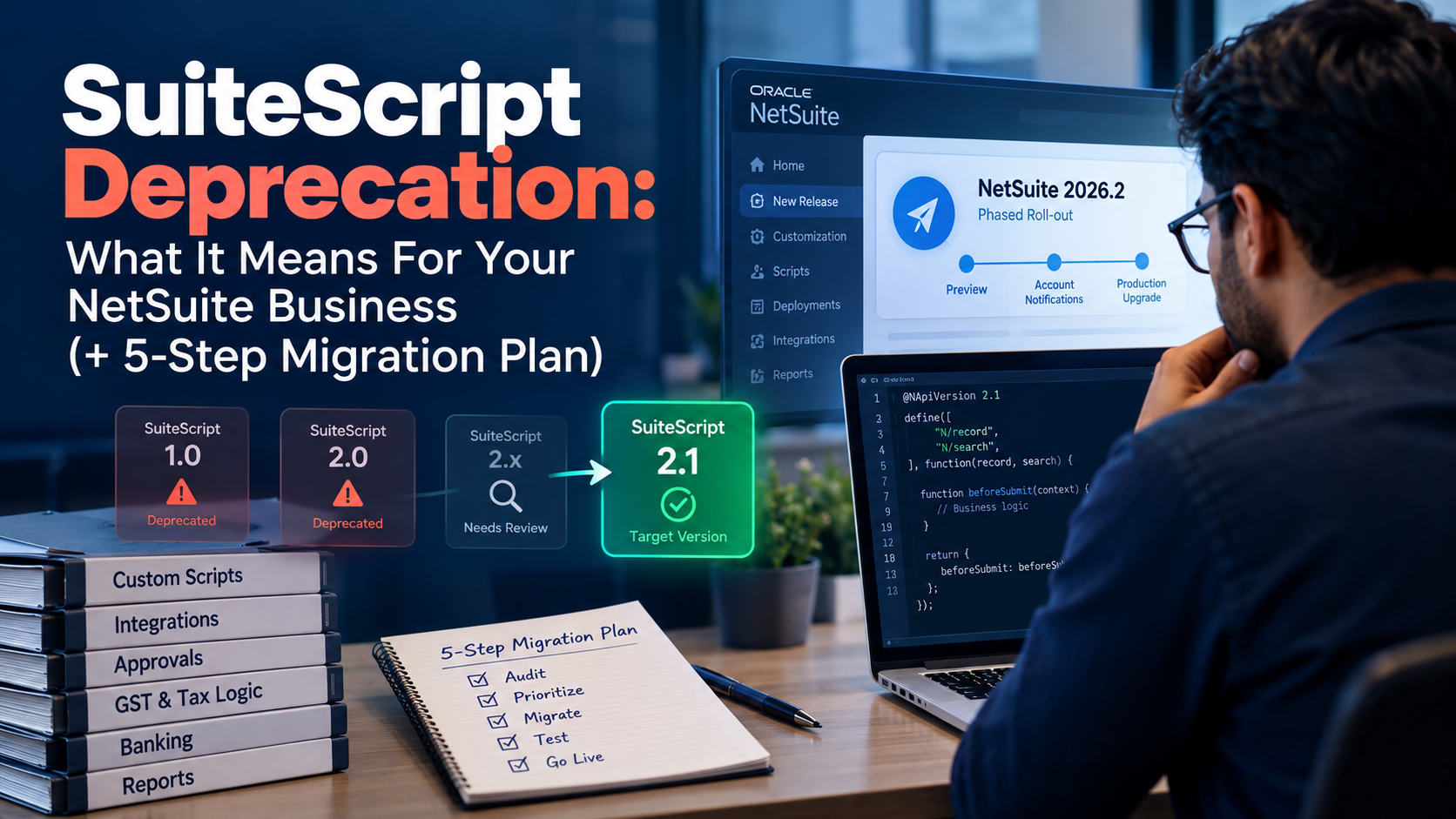
NetSuite’s anticipated 2026.2 release will undergo a phased roll-out, and accounts will gradually receive upgrade notifications from Oracle. With that, NetSuite customers have a great reason to audit old integrations and scripts. After all, a single old script can hold more business risk than most teams realize. These scripts often support invoices, vendor bills, GST logic, banking integrations, approval flows, reports, and SuiteApps.
When older scripts from SuiteScript 1.0/2.0/2.x stay unreviewed after a SuiteScript deprecation, the real risk to the business moves into finance and operations. This guide breaks down what is changing, why SuiteScript 2.1 migration matters, and how Tvarana’s five-step plan helps Indian NetSuite customers prepare without last-minute pressure.
SuiteScript is NetSuite’s JavaScript-based customization framework. Developers use it to extend records, automate business logic, validate fields, build custom pages, run scheduled jobs, and connect NetSuite with external systems. SuiteScript supports application-level scripting on both the client side and server side.
As the NetSuite 2026.2 release cycle is underway, customers should check the New Release portlet for their account’s Release Preview availability and scheduled production upgrade date.
SuiteScript 1.0 no longer receives new feature development, although support teams can still troubleshoot older 1.0 solutions. This leads to a practical NetSuite SuiteScript 1.0 end-of-life concern, which is migration readiness.
Older SuiteScript code often becomes harder to maintain as platform standards change. Legacy customizations can carry old patterns, undocumented assumptions, and API usage that future teams struggle to support. SuiteScript 2.1 gives developers a more current JavaScript runtime as it uses the Graal runtime engine for server scripts and supports ECMAScript 2023 capabilities.
For teams planning SuiteScript upgrade services, the goal is maintainability, release readiness, and business continuity.
Older scripts that are outdated or unreviewed gradually create business risk as confusion seeps in regarding which processes they support. A Client script may validate GST fields while a User Event script may control vendor bill approvals. When these dependencies stay hidden, a technical issue can become an operational disruption.
Late migration can compress audit, coding, testing, and deployment into fewer cycles
Old code also creates measurable drag. The 2025 CAST technical debt report estimates global technical debt at 61 billion repair workdays across more than 10 billion lines of analyzed code. Indian NetSuite accounts often include GST, TDS, e-invoicing, banking, reporting, audit readiness, and subsidiary workflows. These workflows often rely on custom fields, Suitelets, scheduled jobs, integrations, or approval logic that need careful review during NetSuite custom script migration. Tvarana’s NetSuite India solutions cover GST, TDS, automated GSTR reporting, India-specific reporting, fixed assets, banking, and audit-readiness use cases.
A controlled SuiteScript 2.1 migration starts with discovery before code conversion begins. The goal is to identify which scripts matter, what they touch, and how each script should be tested.
List every active and inactive script and integration. Include RESTlets, scheduled scripts, Suitelets, User Event scripts, Client scripts, Workflow Action scripts, and Map/Reduce scripts.
Score each script by business impact and technical complexity. Prioritize scripts that touch billing, purchasing, fulfillment, payments, tax, vendor bank data, approvals, or external integrations. This scoring turns NetSuite technical debt into a migration queue.
Avoid moving every script at once. Start with business-critical scripts, then move to high-volume transactions, integrations, reporting jobs, UI helpers, and inactive customizations. This roadmap gives teams a practical path for how to migrate SuiteScript 1.0 to 2.1. SuiteScript 1.0 APIs do not always map one-to-one to SuiteScript 2.1 APIs, so developers need API review, refactoring, and testing.
Testing should validate the business process and the script file. SuiteScript 2.1 has runtime differences from SuiteScript 2.0, so regression testing should happen before deployment.
Indian businesses should include GST, TDS, banking, and e-invoicing test cases when custom logic supports those workflows. Tvarana India TaxPro supports GST, CGST, SGST, IGST, TDS, RCM, GSTIN assignment, and GSTR reporting inside NetSuite.
Deploy migrated scripts in phases. Start in a sandbox or release preview, then move controlled groups into production. A deployment plan should include:
Future teams need documentation that explains script purpose, ownership, and supported business process. Clear documentation also makes the next NetSuite health check faster.
AI can help with SuiteScript 2.1 migration when developers use it as a review-supported accelerator. SuiteCloud Developer Assistant can generate SuiteScript 2.1 code from developer input inside Visual Studio Code, and developers approve each suggested task before implementation. NetSuite AI-assisted code conversion can help with:
Human review remains necessary. A GST validation script, TDS withholding check, vendor bank approval workflow, or middleware retry pattern may contain business logic that only finance, IT, or operations teams can verify.
AI-generated responses should be validated for accuracy and quality before teams rely on them. Use AI to accelerate SuiteScript 2.1 migration, then keep developers responsible for sandbox testing, role checks, deployment planning, and documentation.
Tvarana helps Indian NetSuite customers approach SuiteScript deprecation as a controlled migration project, starting with a NetSuite customization audit and moving toward tested deployment, documentation, and support. With 18+ years of NetSuite experience, 150+ NetSuite experts, 1000+ projects, and 13+ proprietary SuiteApps, Tvarana understands how custom scripts often support reporting, e-invoicing, tax compliance, banking, and audit-readiness workflows.
If you need a SuiteScript migration partner, start with a free script audit. The audit can help identify deprecated scripts, business-critical dependencies, integration risk, and a controlled upgrade path. Tvarana can also help with risk scoring, phased migration planning, code refactoring plans, workflow testing, deployment support, and documentation updates.
The best time to review older SuiteScript customizations is before release pressure turns them into support issues. Scripts often support GST, TDS, e-invoicing, banking, multi-entity approvals, vendor workflows, and SuiteApps. A clear SuiteScript 2.1 migration plan helps your team reduce technical debt, protect those business workflows, and prepare for future NetSuite releases. Tvarana can help your team turn the NetSuite 2026.2 release into a planned upgrade cycle. Our team can audit your scripts, identify business-critical risks, build a phased roadmap, and execute SuiteScript upgrade services with testing and documentation.
Book a free SuiteScript audit today.



Tvarana is an award-winning
Oracle NetSuite Consulting Firm
and an SDN partner.
info@tvarana.com